How to Choose the Right Email Marketing Tool for Small Businesses
I used to treat email like a chore I had to “get through.” Export a list, paste addresses, pray nothing bounced, then wonder why nobody replied. The moment I started sending messages more than once a month—holiday hours, a new service, a quick promo, an event reminder—the cracks showed up fast. The list got messy, the formatting looked different on every phone, and I kept forgetting to follow up with the people who actually raised their hand.
Picking an email marketing tool didn’t magically fix my marketing, but it did change the experience from “I’m winging it” to “I have a system.” The trick is that not every tool makes the same kind of system—and small businesses don’t all need the same one.
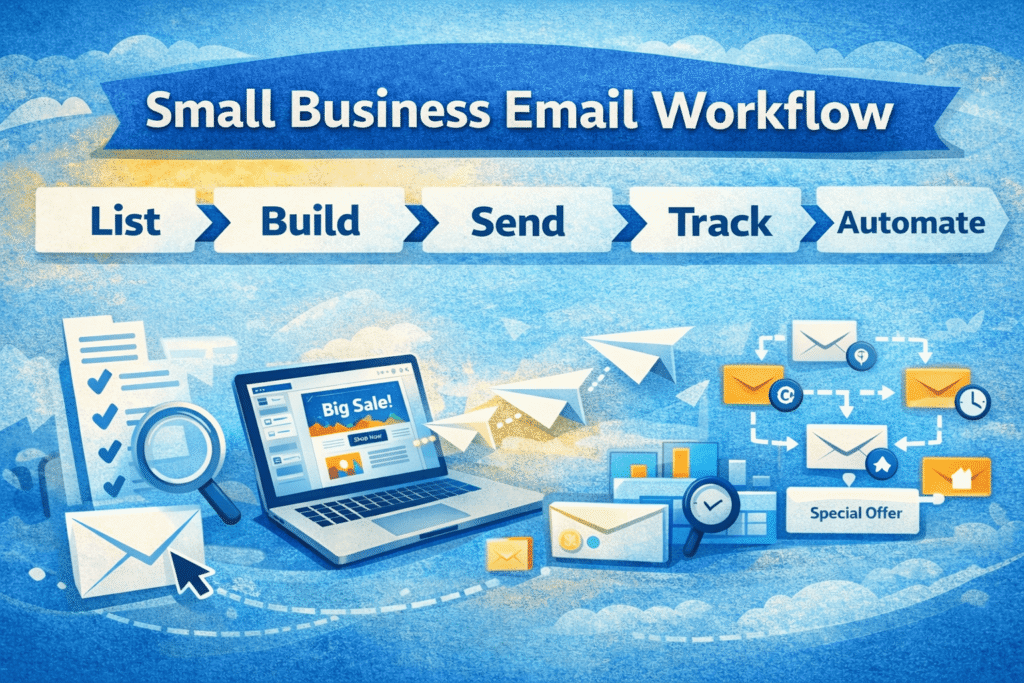
What follows is the way I’ve learned to choose, after living through the annoying parts: paying more as the list grows, discovering an editor that fights you, realizing “automation” means wildly different things, and trying to move a list without breaking everything.
Start with the way you actually work, not the feature checklist you wish you used
When someone says “email marketing,” they can mean five completely different routines:
- A monthly newsletter that keeps your name familiar
- A weekly promo cadence with sales and time-sensitive offers
- Appointment-based reminders and short follow-ups
- Event invitations and post-event “here’s what’s next”
- A steady drip of onboarding emails that runs without you babysitting it
The tool that’s perfect for a monthly newsletter can feel clumsy for appointments. The tool that’s brilliant for complex onboarding can feel like overkill if you just need a clean newsletter and a signup form.
So I always start with a brutally honest question: What will I send in the next 90 days? Not “someday.” Not “when I get organized.” The next 90 days.
If your answer is basically, “I’m going to send a newsletter and a few announcements,” you want something that makes sending easy and keeps you consistent. If your answer includes, “new customer onboarding, follow-ups based on clicks, different messages for different services,” you need a tool with automation that won’t force you to simplify everything into one bland sequence.
Deliverability is the boring part that quietly decides whether you’re wasting money
Most small businesses pick a tool based on the editor and templates. I get it—those are the parts you touch. But deliverability is the part you don’t see until it hurts.
If your emails land in spam or promotions limbo, the prettiest template in the world is just expensive art.
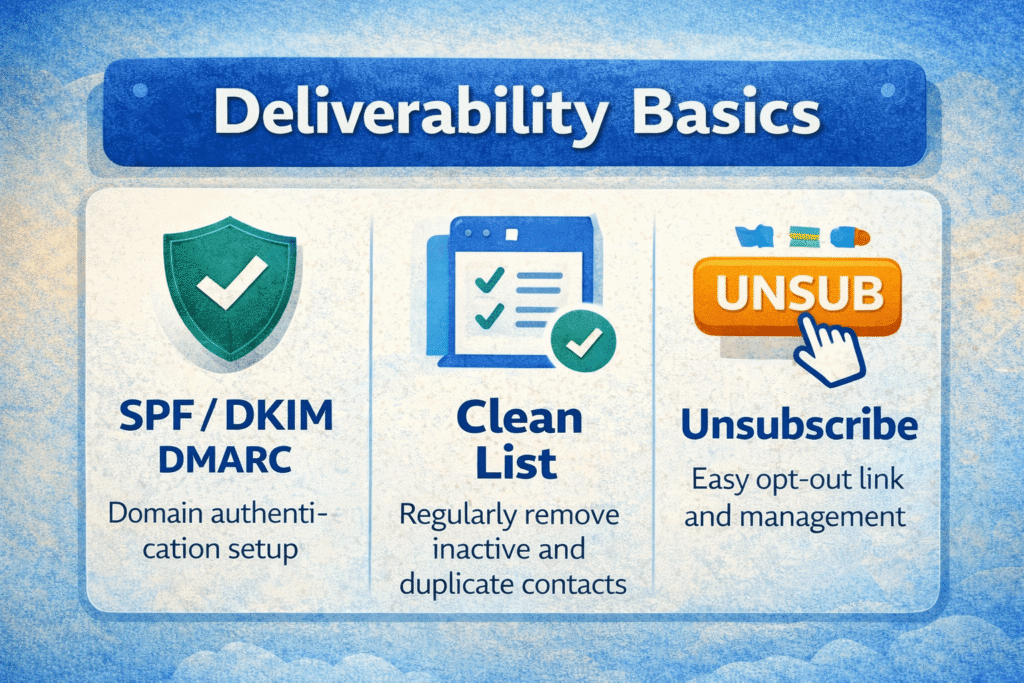
You don’t need to become a deliverability nerd, but you do want a tool that:
- has a strong reputation for sending legitimate bulk email,
- supports proper domain authentication (so your messages look trustworthy to inbox providers),
- makes it easy to manage unsubscribes and list hygiene.
In real life, this shows up as fewer headaches. You’ll notice steadier open rates over time, fewer “I didn’t get it” messages, and less panic when you send to a bigger segment than usual.
A small warning sign I’ve learned to respect: if a platform makes it too easy to import questionable lists and blast away, it may be attracting the kind of sending behavior that gets inbox providers suspicious. You don’t want to be in that neighborhood.
The editor should feel like a shortcut, not a negotiation
I don’t think small businesses need “pixel-perfect” email design most of the time. What they need is an editor that lets you create something clean quickly, reuse it, and not break it accidentally.
When I’m evaluating an email tool, I do a quick reality test:
- Build a simple email (headline, image, text, button).
- Preview it on mobile.
- Duplicate it and swap the content.
- Fix one annoying spacing issue.
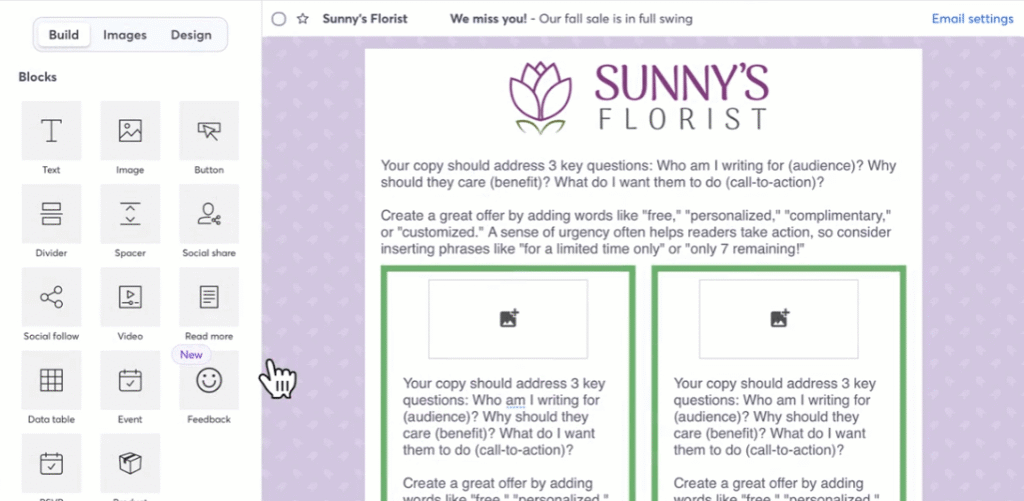
That last step is the tell. Some editors feel like you’re steering a car. Others feel like you’re dragging a shopping cart with a wobbly wheel.
If you find yourself thinking, “Why is this so hard?” during a basic build, that won’t get better when you’re busy. Tools that fight you tend to quietly reduce how often you send, and consistency is the whole game.
Automation means “set it and forget it” for some tools, and “build a maze” for others
A lot of platforms claim automation. What they don’t say is how deep it goes.
For many small businesses, the most valuable automation is simple:
- A welcome email when someone subscribes
- A short onboarding sequence over a week or two
- A resend to people who didn’t open
- A “thanks for coming” follow-up after an event
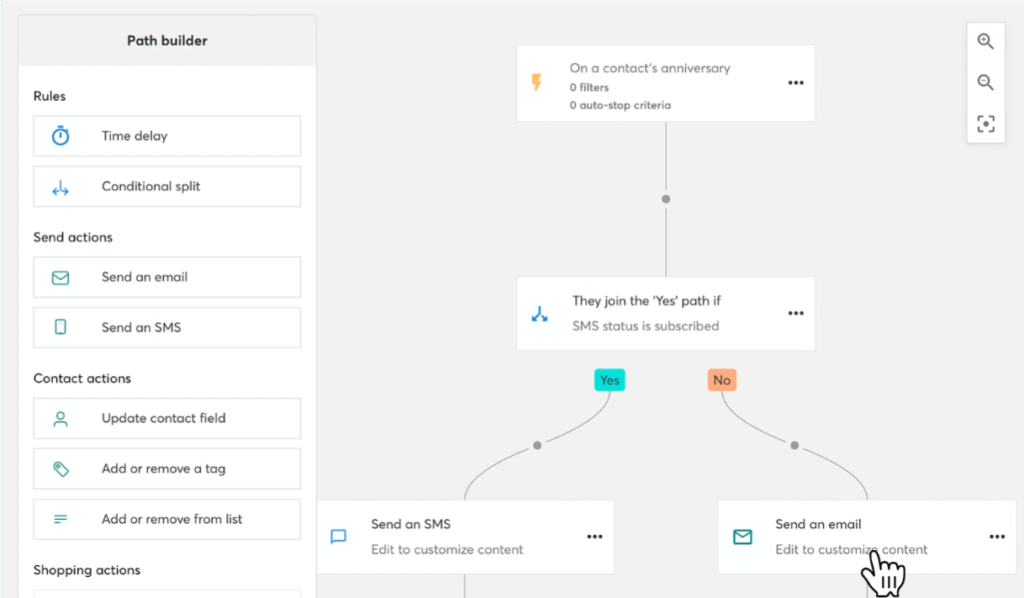
If that’s all you need, don’t buy a tool that expects you to become a flowchart artist. You want something reliable and easy to adjust, not something you’re afraid to touch because it’s complicated.
But if you’re running multiple services, different customer types, or you want messages to change based on behavior (clicked this, purchased that, didn’t respond within X days), you need to confirm the platform can handle that without turning into a brittle mess.
The moment I started caring about automation depth was the moment I stopped judging tools by their templates. Templates are nice. Automation is what keeps you from dropping the ball when you’re busy.
Segmentation: the most underrated feature once your list stops being tiny
Early on, segmentation feels optional. Later, it becomes the difference between “email works” and “email annoys people.”
Even a small business ends up with natural segments:
- prospects vs. customers
- different services or locations
- event attendees
- VIPs and repeat buyers
- people who clicked a specific offer
What you want is segmentation that matches how you think. I prefer platforms that let me create segments without feeling like I’m doing math homework. Tags, simple rules, and behavior-based grouping all work—as long as it’s not confusing.
A thing I learned the hard way: some tools make segmentation sound powerful, but it’s awkward in practice. If you can’t quickly answer, “Can I email only the people who clicked this link last month?” you might find yourself sending broader emails than you intended.
Integrations: you’re not buying an email tool, you’re buying how it fits into your day
The longer you run a business, the more your customer data lives in multiple places: booking tools, ecommerce, CRM-ish spreadsheets, forms, payment processors, event registration, even social platforms.
A good email tool doesn’t force you to become a copy-paste machine.
When I check integrations, I look for:
- How contacts get created (automatic vs. manual import)
- Whether data stays updated (or becomes stale immediately)
- Whether the integration creates duplicates
- Whether segmentation can use that data
Sometimes a platform technically “integrates,” but it’s more like a one-way dump of contacts. That’s not useless, but it’s not the same as being connected.
If you don’t have many tools yet, don’t over-optimize. But if you already have a booking system or online payments, this matters more than the number of templates.
Reporting: you want clarity, not a dashboard that begs you to overthink
Small businesses don’t need ten layers of analytics. They need answers to simple questions:
- Are people opening my emails?
- What are they clicking?
- Which offers or topics get ignored?
- Who is consistently engaged?
A platform that makes those answers obvious helps you improve without spiraling into analysis paralysis.
I also like reports that are actionable—meaning I can quickly create a segment of “people who clicked X” or “people who haven’t engaged in a while.” It’s one thing to see data. It’s another thing to use it without extra work.
Pricing: pay attention to how the tool counts contacts, not just the monthly number
This is where small businesses get surprised.
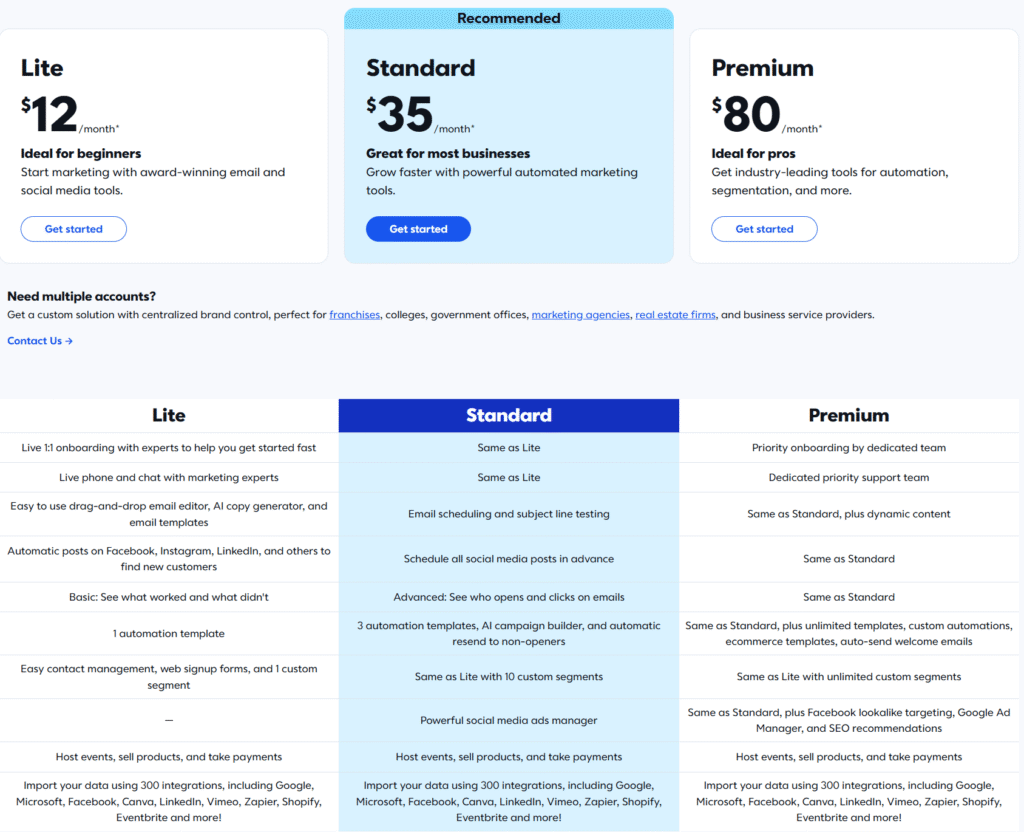
Most platforms scale pricing based on contacts, and the details matter:
- Do unsubscribed contacts still count?
- Do duplicated contacts count twice?
- Do you pay more for automation features?
- Do you pay more for additional users?
- Are there limits that force an upgrade (sending volume, advanced segmentation, SMS, landing pages)?
I’ve seen businesses “grow their list” and accidentally grow their bill faster than they expected, because they weren’t cleaning out duplicates and inactive addresses.
If your list is going to grow, pick something that makes list hygiene easy and transparent. A cheap tool can become expensive quickly if it counts in a way that punishes normal list behavior.
Support and usability are not “nice to have” when you’re busy and something breaks
Small businesses don’t have time to babysit software. If you’re running a shop, a practice, a studio, a nonprofit, or a service business, you need a tool that doesn’t fall apart when you’re trying to send something time-sensitive.
Two things I now check early:
- Is the help documentation actually useful?
- If I needed a human, how hard would it be to get one?
You’ll only care about support when you really care about support. And that’s usually when you’ve got a deadline and something is going wrong.
A practical way to choose without getting stuck in research forever
If you’re prone to “comparing tools” until you never pick one, here’s the method that’s saved me:
Build one real campaign before you commit
Take a real email you plan to send next week and build it in the tool’s trial:
- Use your logo and colors (even roughly)
- Add one image
- Add one call-to-action button
- Preview on mobile
- Schedule it (even if you don’t hit send)
You’ll learn more from this than from hours of reading feature pages.
Set up one automation you’ll actually use
A welcome email is the simplest test. If you can’t set up a welcome email without feeling stressed, that’s a sign the tool isn’t aligned with your working style.
Create two segments you know you’ll need
For example:
- “customers” vs. “prospects”
- “event attendees” vs. “everyone else”
- “clicked last promo” vs. “didn’t click”
If segmentation feels unintuitive here, it will feel worse later.
Check the pricing math with your real list size
Don’t guess. Look at how many contacts you have now, how many you might have by the end of the year, and how the plan changes at those points.
A tool can be a great fit and still be the wrong financial fit for your business.
Who this advice tends to work best for
This approach is ideal if you’re a small business that wants email to be a steady channel, not a constant experiment. If you’re building a system you can run on a normal week—between customers, staff, inventory, and everything else—choosing a tool based on “what you’ll do in the next 90 days” usually keeps you from overbuying.
It’s also a good fit if you’re allergic to complexity. Plenty of small businesses don’t need advanced logic. They need consistency, decent deliverability, and a workflow they won’t abandon after two sends.
When you can safely skip certain “advanced” features
If your emails are occasional and mostly informational, you probably don’t need:
- deep multi-branch automation journeys
- complex attribution reporting
- highly customized dynamic content
- a dozen channels inside one platform
Those features can be powerful, but they can also turn a simple habit into a complicated project. I’ve watched teams buy “more tool” and send less email because it suddenly felt like a bigger production.
When you should not settle for a basic tool
If you’re doing any of these, basic tools start to feel restrictive fast:
- multiple services with different onboarding paths
- frequent promos where targeting matters
- a list large enough that sending the wrong message annoys people
- reliance on behavior-based follow-ups (clicked, purchased, didn’t respond)
- a team workflow where approvals and permissions matter
In those cases, it’s worth choosing a platform that’s built for growth—even if the learning curve is a little steeper—because rebuilding later can be more painful than learning now.
The calm bottom line
The right email tool for a small business is the one you’ll keep using when you’re tired.
If an email platform makes sending feel simpler, keeps your list organized, and nudges you toward consistent habits, you’ll see results over time—even with basic content.
If it feels like a cockpit full of buttons you don’t touch, you’ll resent it, avoid it, and eventually blame “email marketing” for what was really a tooling mismatch.
Pick the tool that matches your real workflow, test it with one real campaign and one real automation, and don’t let “someday features” distract you from what you’ll send next week.